Welcome to the SHOPI GAME store😍 You have purchased a Steam account. You need to change the email to your own, i.e., perform a reassignment. If you do this during the warranty period, the product warranty will be void. The store provides a 24-hour warranty, and we also offer a paid warranty you can purchase.
1. First, install Steam Desktop Authenticator to manage the maFile, namely SDA.
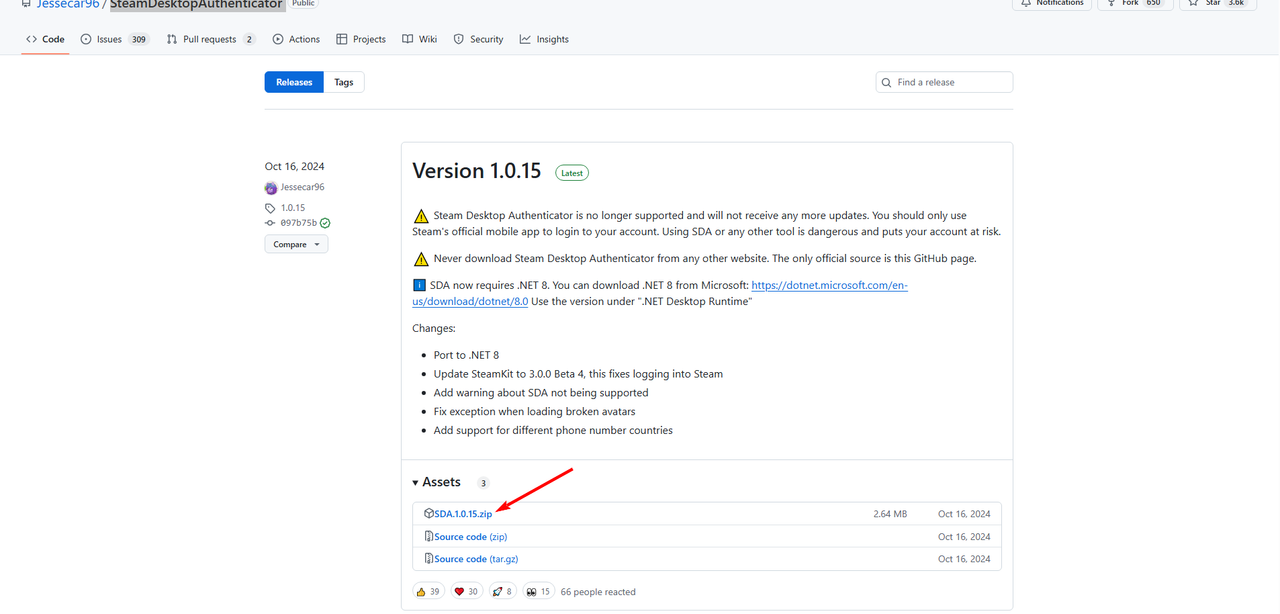
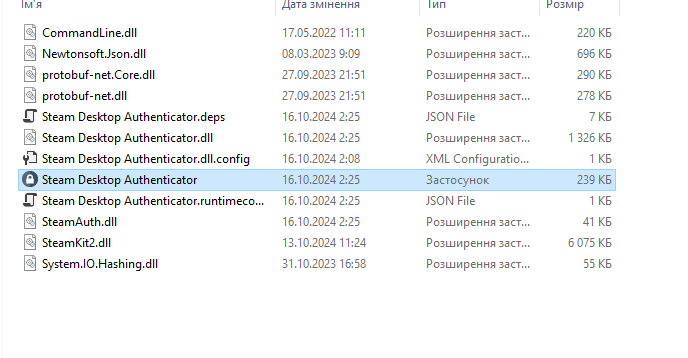
2. After downloading SteamDesktopAuthenticator, extract the file and run the program.
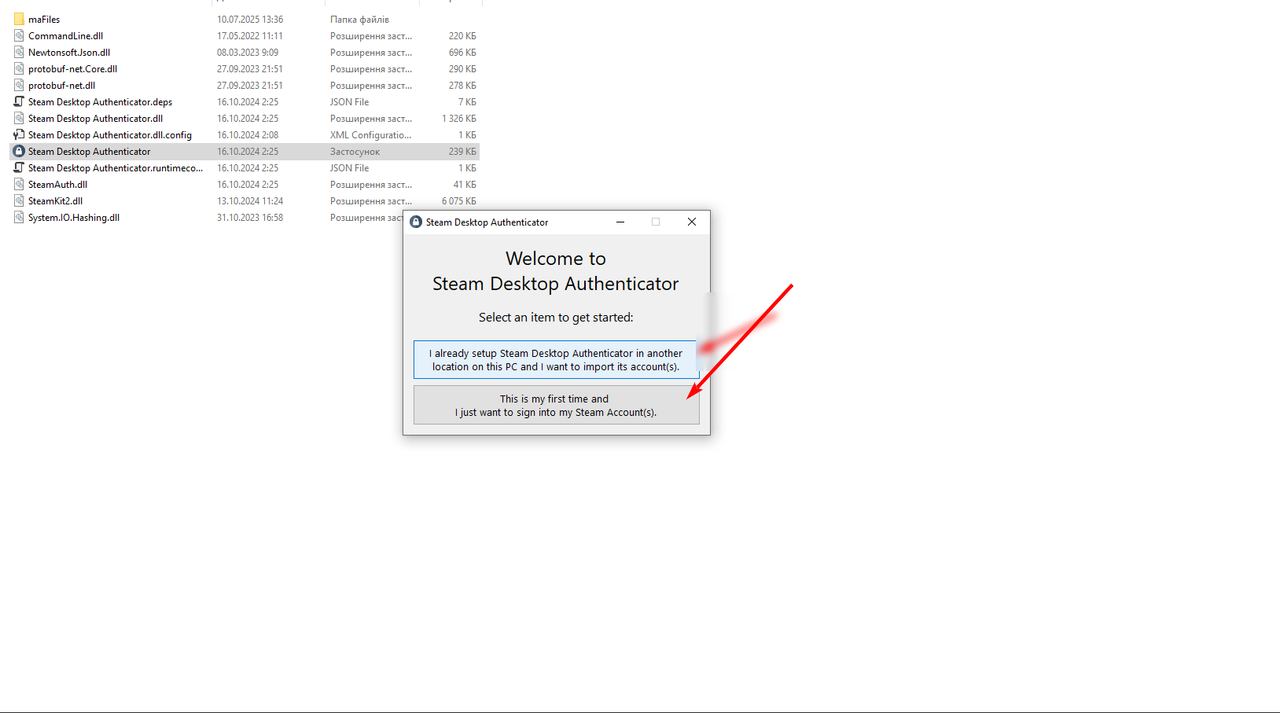
3. Upon launch, select option 2 (This is my first...)
4. Download the file we sent you to your PC, it ends with .maFile, save it in a separate folder and import it.
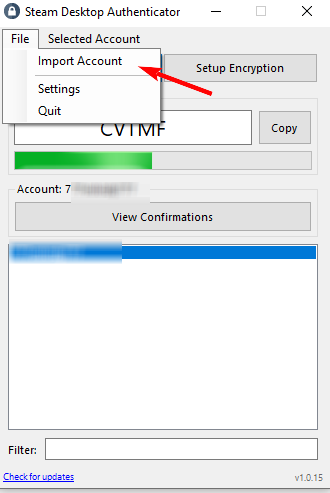
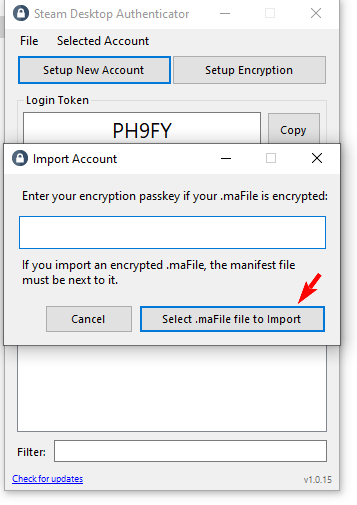
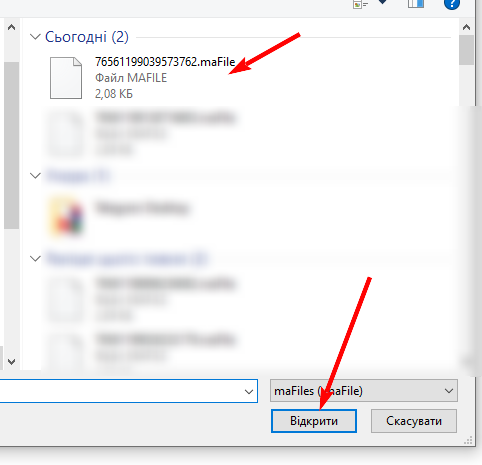
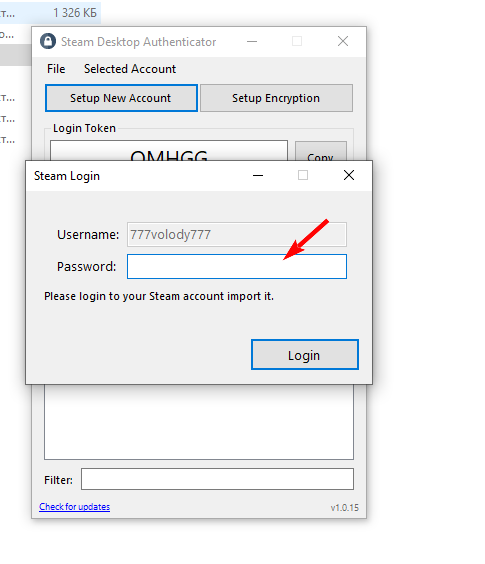
5. After importing the file to SDA, enter the account password we provided. Don’t close the app until you log in to Steam.
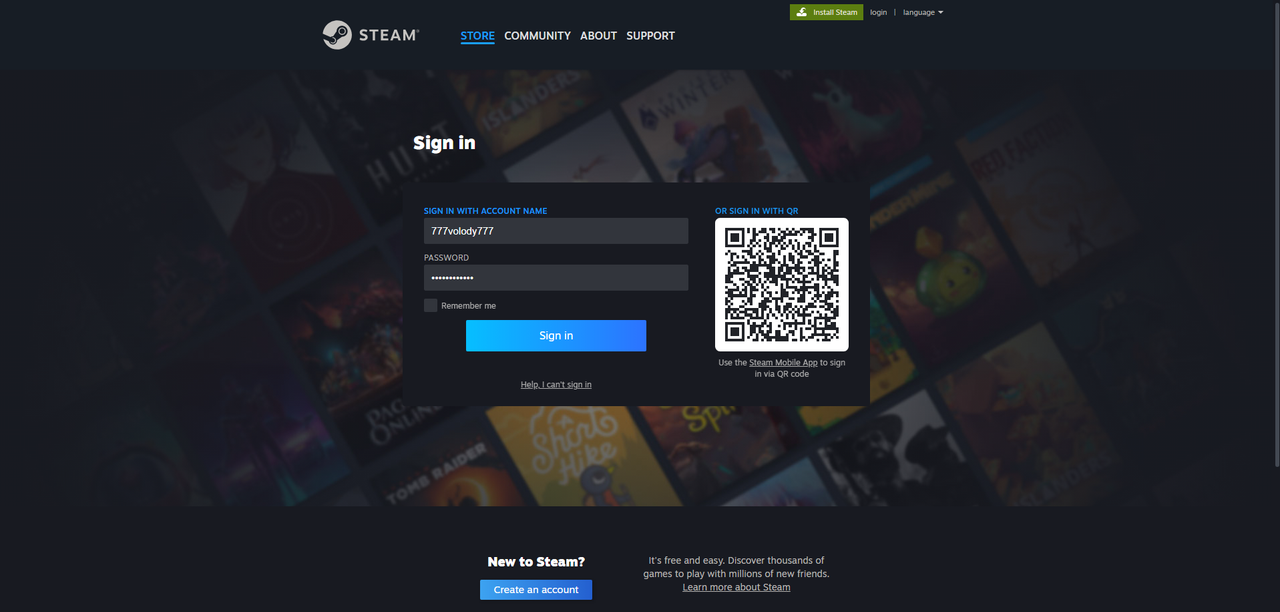
6. Log in to Steam with your login and password.
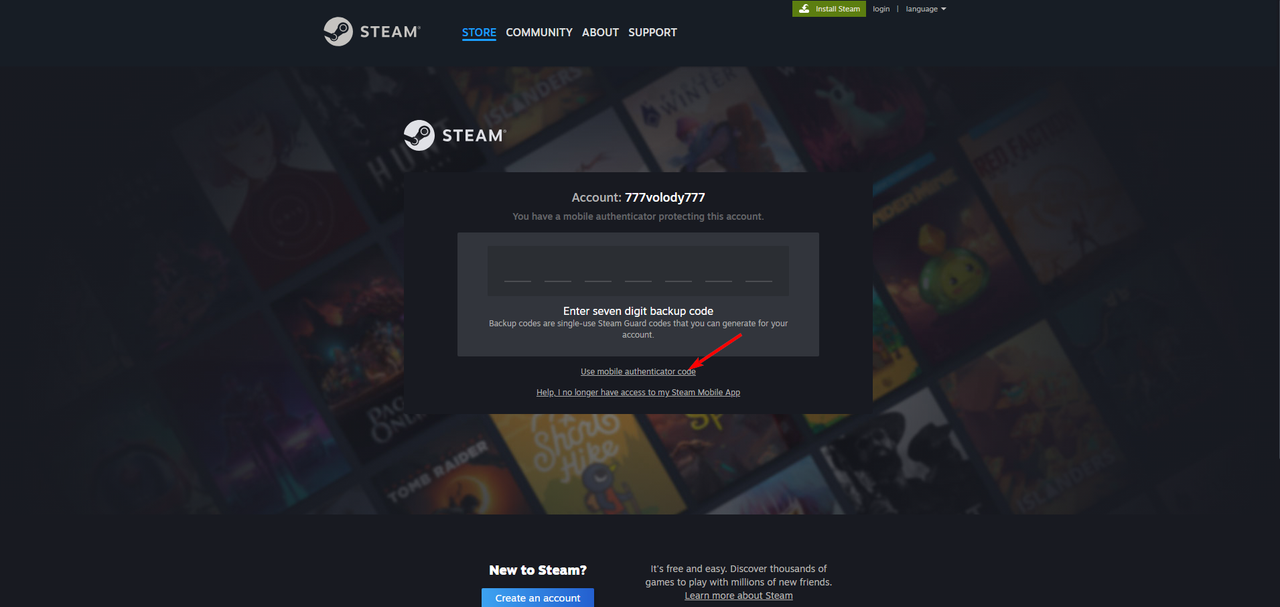
7. After logging in, enter the code from SDA by clicking (USE MOBILE ....)
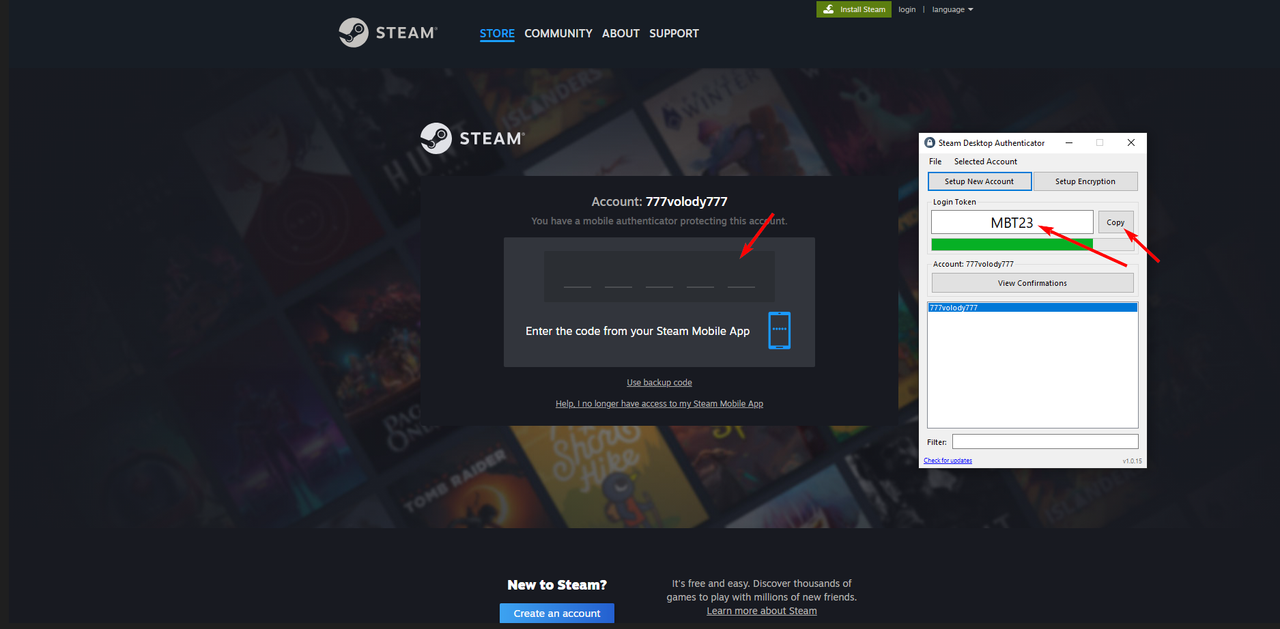
8. The code will appear in the app. Click (COPY) and paste it into Steam. If it’s expired, wait for a new code.
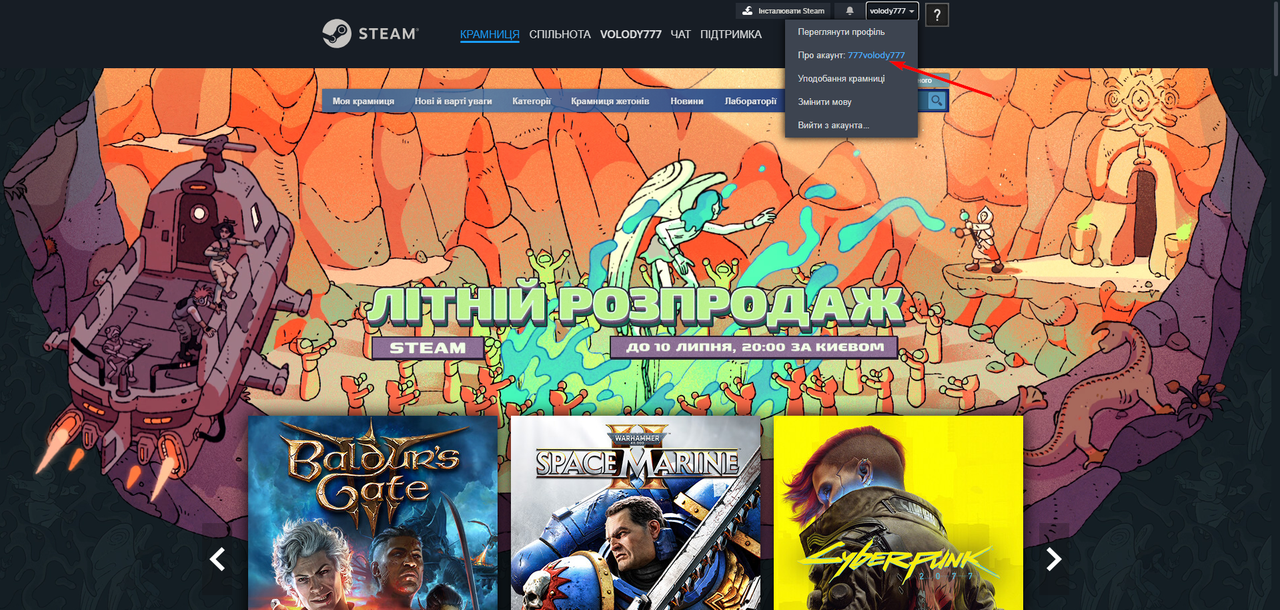
9. Once inside the account, click -> Account Details -> Change Email
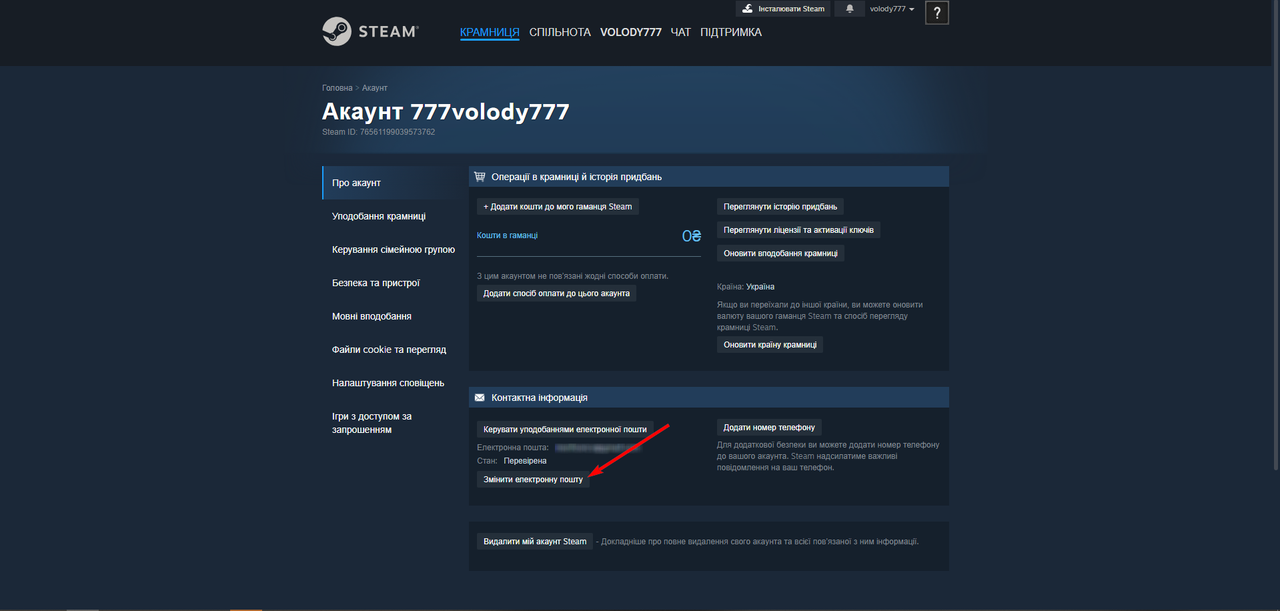
10. Next, click on the first text (Send a confirmation code ....)
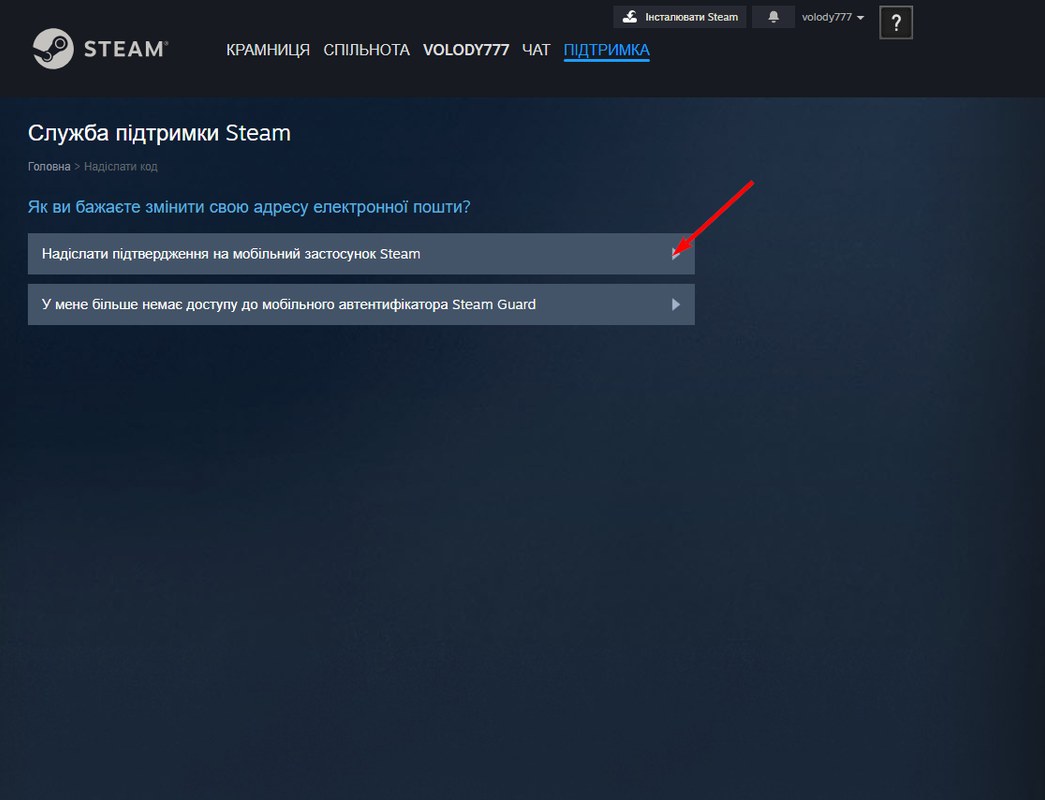
11. Great, almost done! Go to SDA and click (View confirmations), then click Confirm.
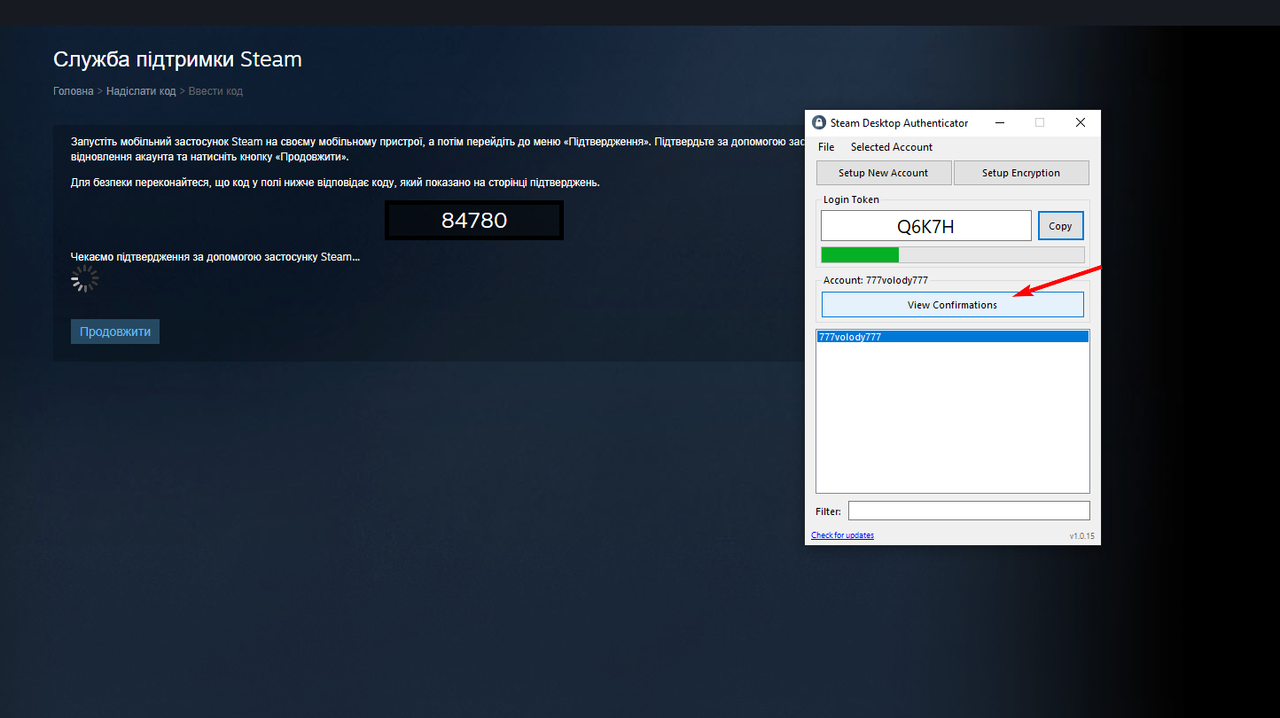
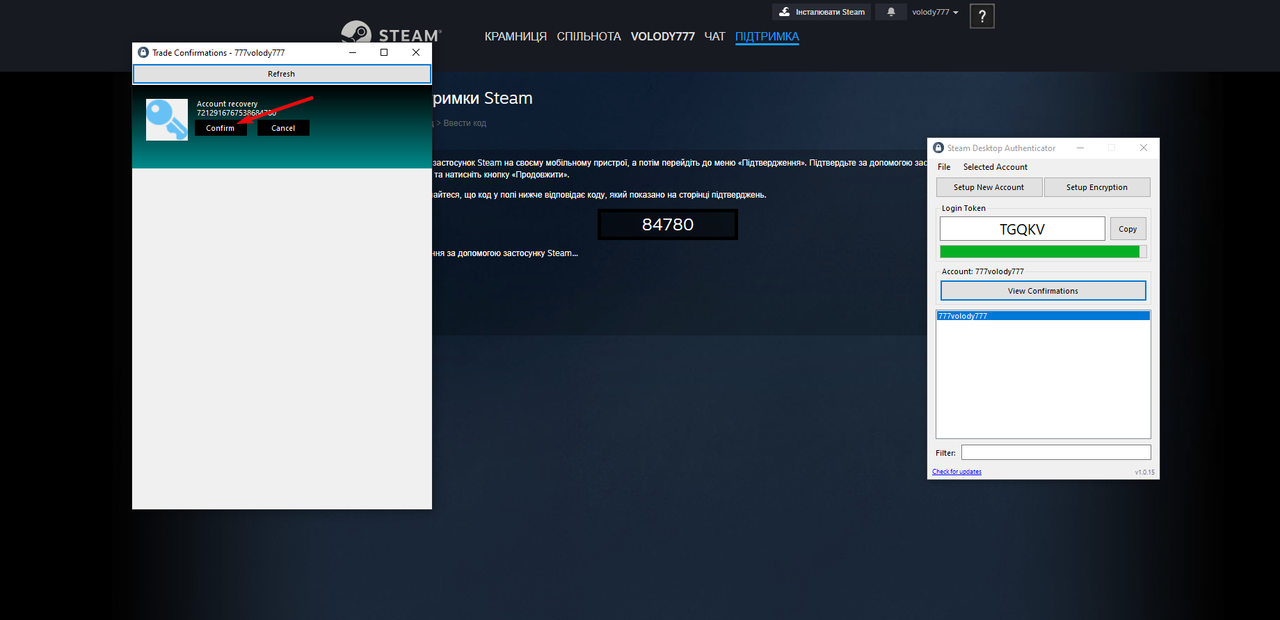
12. After confirming, Steam will open a new window — click I no longer have access to this email
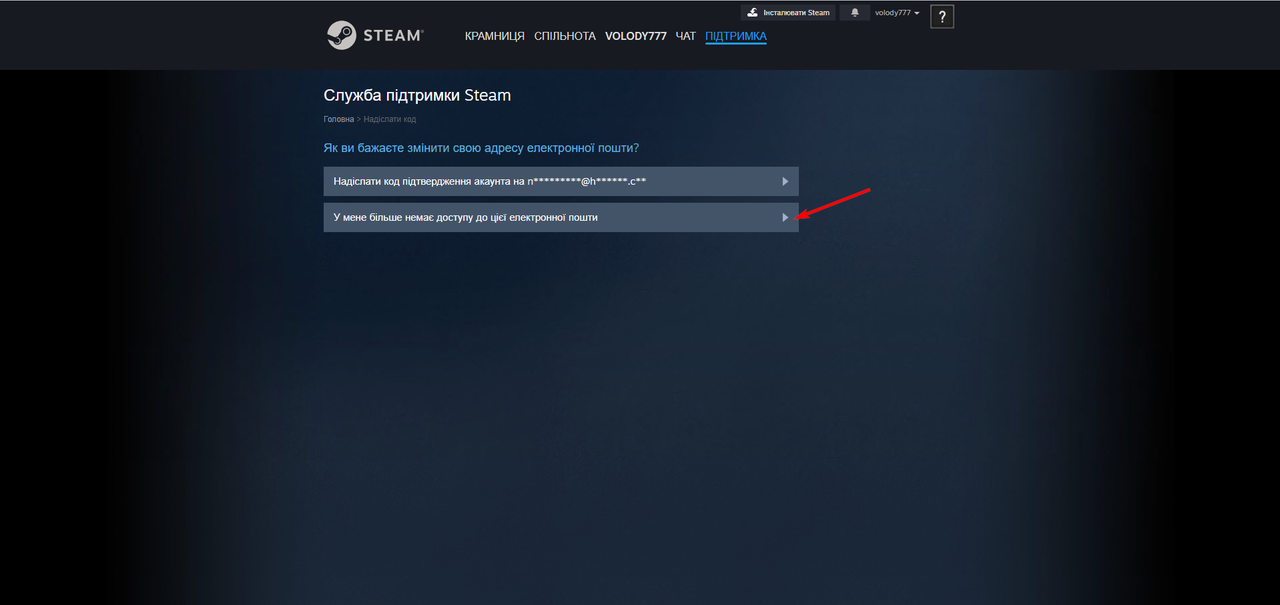
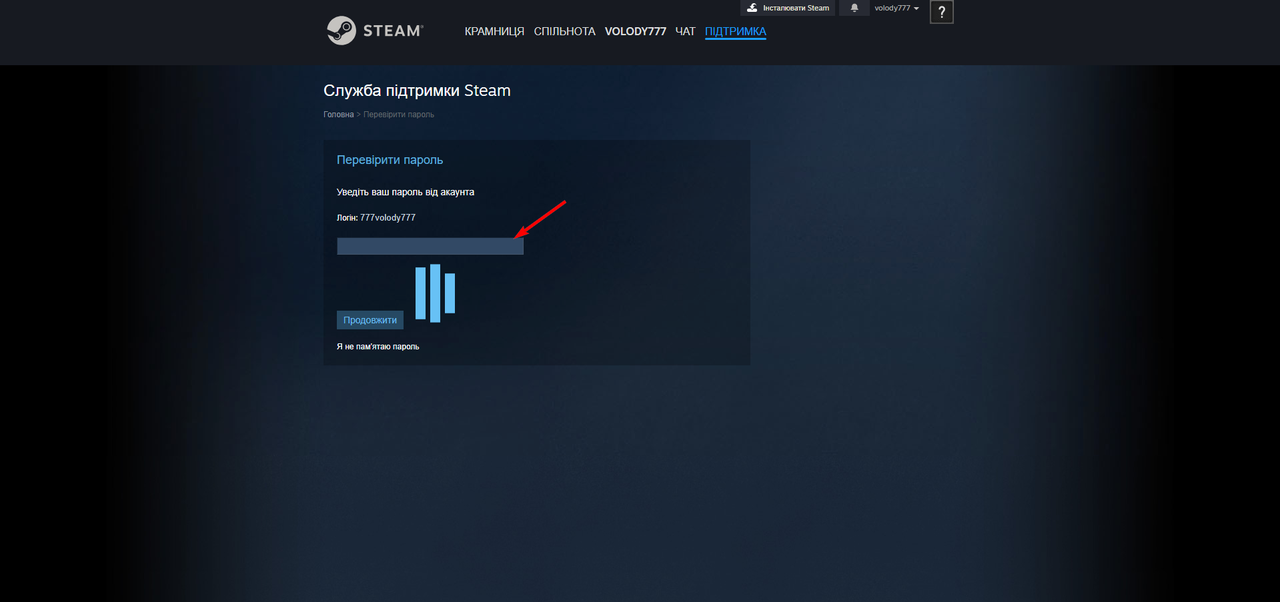
13. Enter the password for the account we previously sent you
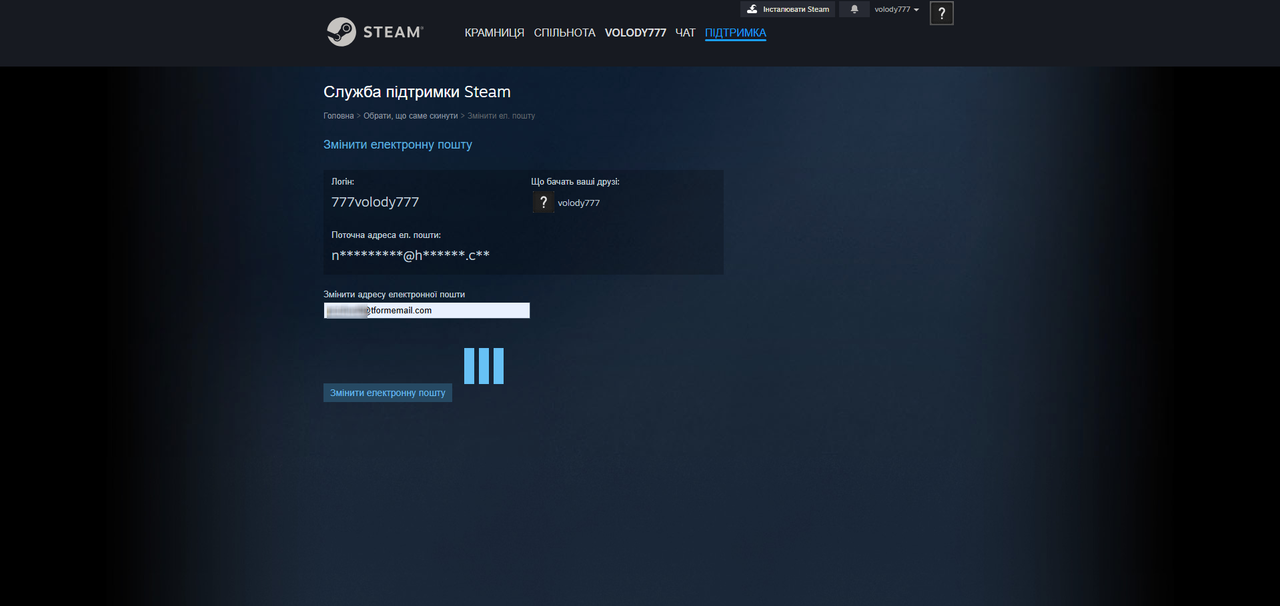
14. Enter the email address to reassign the account to (Important: The email must not have other Steam accounts)
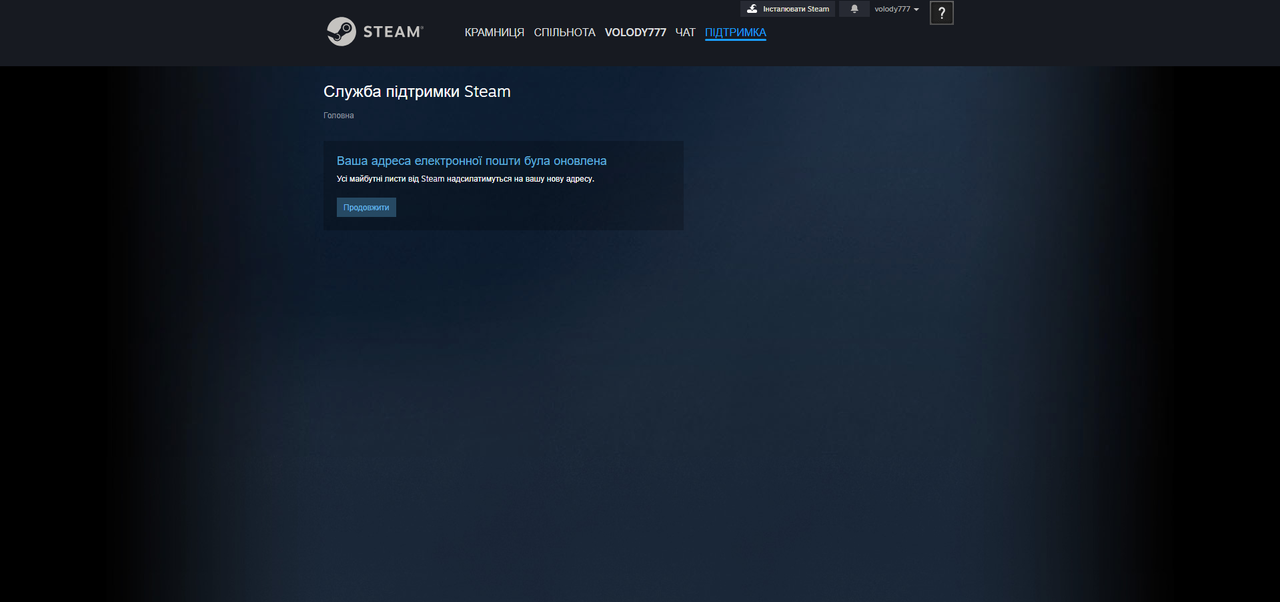
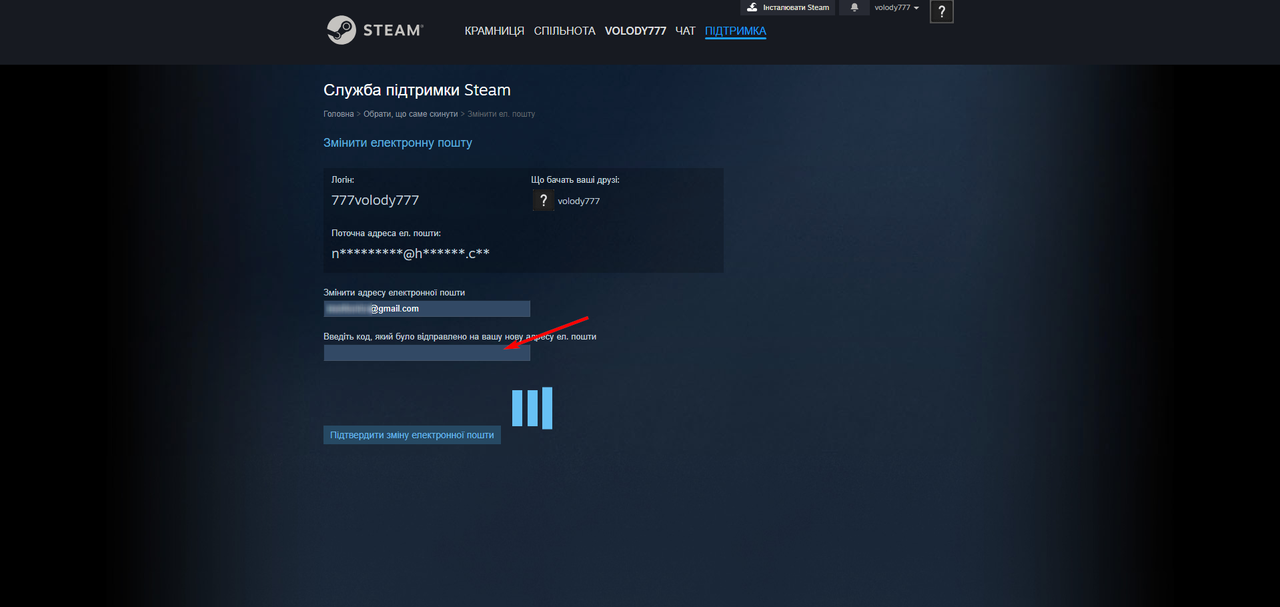
15. Almost there! Enter the verification code from your email into Steam and click (Confirm email change)
16. Done! The account is now linked to your email. If you'd like us to delete SDA — just tell us, and we’ll do it in one minute!