While playing online games, various errors may often appear. The most common ones in League of Legends are Van 57, Van 81, Van 1067, “unknown player,” and authorization issues. Similar errors happened in Pubg, which we helped players fix with our article.
League of Legends usually crashes not because of weak PC specs but because of its rather strict anti-cheat. Below we’ll explain how to fix them; it’s quick and easy, let’s find out together.
An unexpected authorization error occurred:
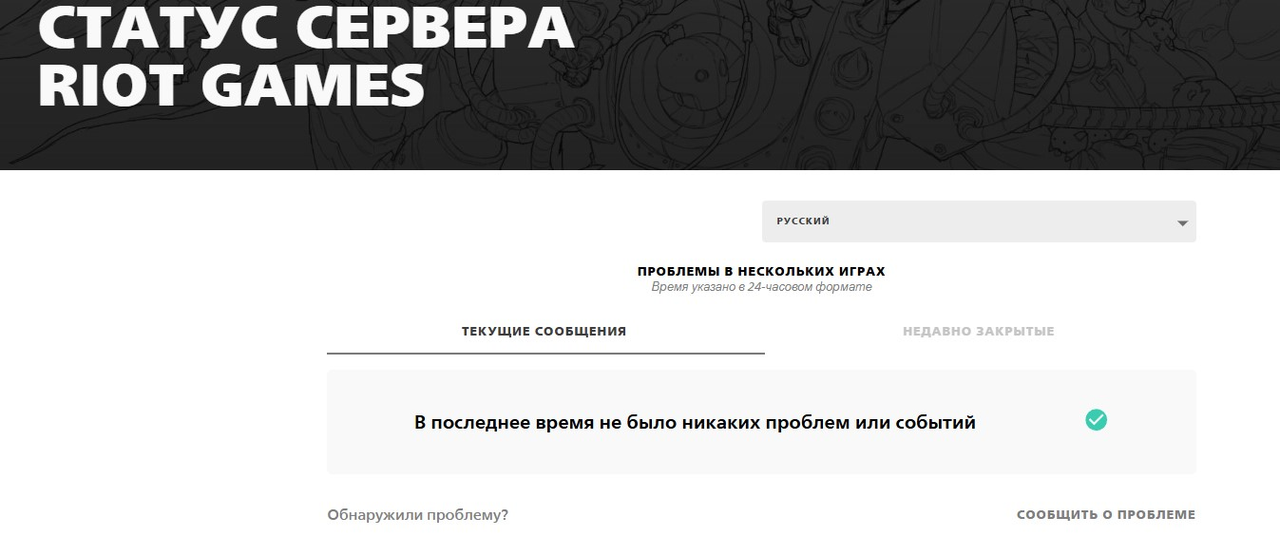
You enter your login and password, press log in, but the system tells you that you won’t be starting a match today. Most often, this is just a temporary Riot server outage or a client cache issue. First, try checking the server status on the official status page or ask other players. If everything looks fine and your friends say the issue isn’t global, simply clear the cache or try logging in from another device.
P.s. Sometimes changing DNS to other values, like 8.8.8.8 or 1.1.1.1, may help.
Van 1067
The Van 1067 error comes from the Vanguard anti-cheat raising alarms. It acts like a picky child, refusing to launch if it dislikes anything. Common culprits are disabled TPM 2.0, Secure Boot, or third-party apps like Dante Controller, MSI Afterburner with RivaTuner, or even outdated drivers. Here’s the troubleshooting plan:
- 1) Restart your computer
- 2) Enable TPM 2.0 and Secure Boot in BIOS
- 3) Remove suspicious software
- 4) Reinstall Riot Vanguard via Control Panel
- 5) Update Windows to the latest version
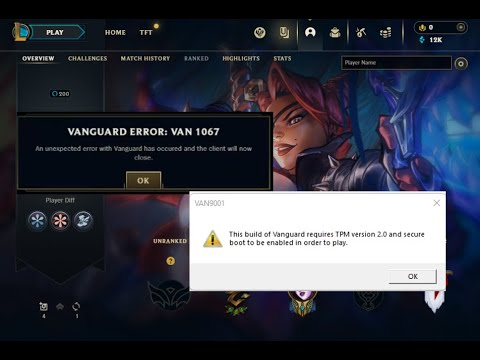
If you still see the error after this, check if your antivirus is blocking the service. Even the default Windows Defender can be the culprit sometimes.
Van 57
Van 57 means that Vanguard is not running or failed initialization. It looks like Van 1067 but is much easier to fix. Usually, this helps:
- Restarting the PC
- Checking Riot Vanguard in “Windows Services”; it must be set to “Running” and start automatically
- Reinstalling Vanguard from the Program Files\Riot Vanguard folder
If the service won’t start, then something is blocking it. Disable unnecessary startup items and try again.
Unknown player
This can happen, but don’t worry, the game hasn’t forgotten you. Such an error is possible if the player changed their nickname, the account was deleted, or simply stayed offline for over a year. If you see this, check whether you accidentally deleted your data or logged out. Updating the client, checking your internet connection, or server sync delays may also help.
Van 81
Van 81 is a typical Riot server connection error. Vanguard simply cannot verify your status. It may be caused by your internet, firewall, or the client running for more than a week without restart. The fix is straightforward: restart the client and router. If that doesn’t work, add League of Legends and Vanguard to the firewall exceptions or, as a last resort, reinstall the game client.
We hope our article helps you fix these common errors. Good luck in your matches! By the way, our blog has lots of free games, especially key giveaways.