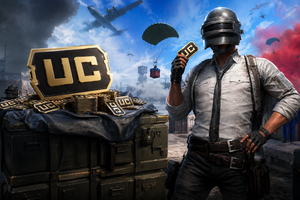
In the game PUBG or PUBG Mobile, if you want to grab cool gear at the start of the game, this is usually how. Success depends on how quickly you can find equipment or weapons. For those playing the game for the first time, it may take 20-30 seconds to scan the map and search, while professional players can loot within seconds. Let’s figure out how to act fast and efficiently for beginners, though even regular players will find this helpful.
Speedy Gear Collection
By "Quick Loot," we mean picking up any items in a matter of seconds that come your way. Later, in your backpack, you can see what will be useful for the game. This strategy is especially helpful when landing in a location with many players.

Basic rules for fast item collection:
- While flying on the plane, pay attention to your opponents landing near you. This will help you understand how many enemies are within a certain radius.
- Never waste time looking for the best gear. Take practically any weapon that comes your way and start hunting down opponents. The main rule of PUBG is the starting drop, as the rest can be looted from opponents.
- If within 5 minutes you can’t find anything, quickly look for transport and move to less combative zones, far from the landing trajectory of other players. This will increase your chances of survival and allow you to score a few kills.
Watch the loot carefully
If you have control of the situation, you can move to a spot where you can see everything and everyone. It’s important to look for the best weapons and equipment—backpacks, armor, and helmets of higher levels. If you’re lucky and looted a level 3 helmet—Wow! Also pay attention to scopes, suppressors, and medkits.
Remember: you should thoroughly loot the area for better items only when you're sure there are no enemies around. This allows you to better sort your items and know what you’ve gathered. While looting, never stand still, keep moving to avoid getting shot by other players.

Looting Tips
Here are some tips to speed up the looting process:
- Use the inventory via the Tab key. When approaching items, hold Tab and drag what you need into your inventory with the mouse. Over time, you'll learn to quickly figure out what you need! For instance, if you need a Pubg account—we’re always nearby!
- Item pickup with the "F" key. Experienced players use this method. It's especially convenient to pick up medkits using the F key.
- Double-loot. When there are two items on the ground, right-click one, and it will go into your hands, while the other automatically goes into your backpack.
- Try dragging grenades with the right mouse button and ammo with the standard drag. This will save precious time if an enemy is looting near you.

How to quickly drop items from inventory
Sometimes there’s a need to quickly free up space in your backpack for new weapons. To quickly drop an item, hover over it in the inventory, hold Alt, and right-click. If there’s space in the backpack, the item will automatically move there, if not, it will drop from the backpack. To drop half the items from your inventory, press Alt + right-click on the item, such as ammo or weapons.