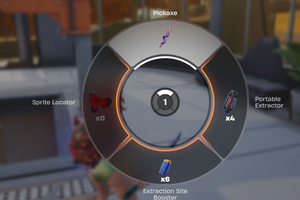
Today, we'll explain how to unlock the Outpost without expanding your regular storage, place weapons and items on furniture, and free up dozens of additional slots. Did you know that ARC Raiders offers a great way to free up hundreds of storage slots by using furniture at your Outpost? To do this, you first need to unlock the Outpost, then craft shelves or weapon racks and place suitable items on them through the Decorate menu. This will free up space in your main inventory. At the same time, the furniture itself will not exceed the storage limit, which, after Frozen Trail 2.0, is 328 slots without additional bonuses.
So, how do you unlock the Outpost and obtain furniture? Once you reach Raider Level 18, the Sheltered Retreat project becomes available, and the Outpost will only appear after you complete it. To unlock it, follow these steps:
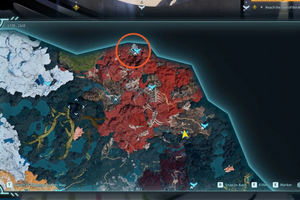
1. Travel to the Blue Gate map and use your camera to take a photo of the farmhouse in the area around the Ruined Homestead.
2. Collect and deliver construction materials, including Wooden Planks, Sheet Metal, ARC Alloy, and Advanced Electrical Components.
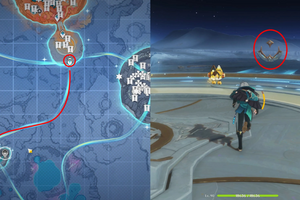
3. Deal 800 damage to flying ARC machines and 300 damage to the Bully enemy at the PendoLa Pass.

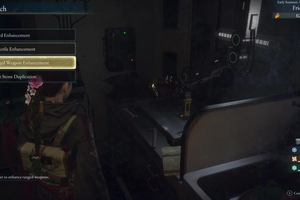
After completing the project, the Outpost tab will become available in Speranza, where you can craft furniture, install research equipment, and expand your available space.
At the beginning, we recommend dismantling the boxes covered with fabric, as they can provide Wooden Planks needed to craft your first interior items.
During raids, you'll come across new furniture blueprints. They are especially common in residential areas, including the Old Town at PendoLa Pass. Study the blueprints to unlock the ability to craft items using your collected materials.
Not all furniture is suitable for storing weapons and items. Shelves, cabinets, weapon racks, and certain tables are the best options. The capacity of each piece of furniture is listed in its Attached Slots stat. To free up space, open the Outpost tab in the main menu, then select a room with enough space for furniture. Place a shelf, cabinet, or weapon rack, then right-click the furniture and select Decorate. Next, choose compatible items from your main storage, fill all available furniture slots, and confirm the placement.
After completing these steps, your items will be conveniently stored at the Outpost, freeing up slots in your main inventory. These shelves are also great for storing ARC Raiders items. Please note that regular ammunition, medkits, and most crafting materials cannot be placed on decorative shelves.
To expand your Outpost further and gain more space, you can also build three additional rooms. Before expanding, we recommend choosing a layout that best suits your needs. In the current version of the game, you cannot change or replace a room once it has been built, so you should make your decision in advance. We hope this guide has helped you at least a little with expanding your Outpost and freeing up storage space. And if you're looking to challenge yourself with more exciting games, you can always buy a Steam key from our store! Thank you for choosing us!